How to be SEO Friendly
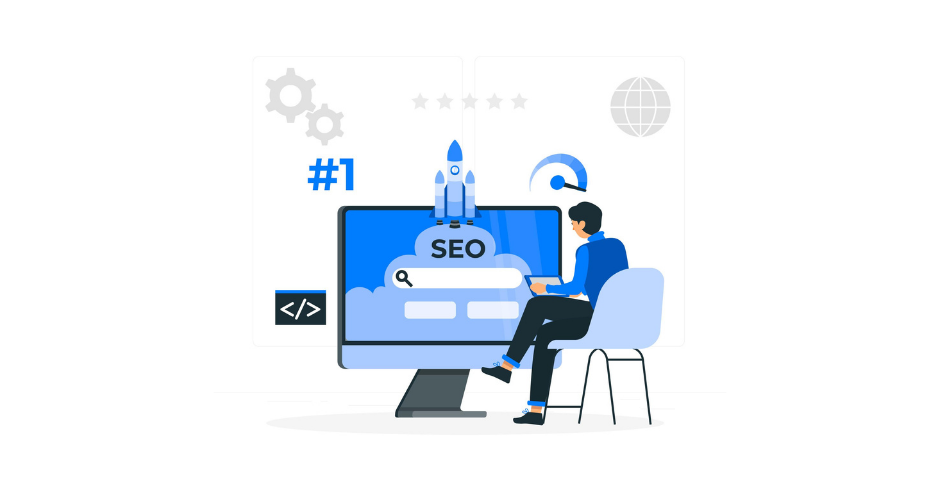
Creating an SEO-friendly website is essential for improving your visibility in Google Search and helping the right audience discover your content. Whether you run a business website, publish a blog, or manage an online store, search engine optimization (SEO) can help people find your pages when they search for relevant information, products, or services.
But what makes a website SEO-friendly? Is it enough to add keywords, build backlinks, and publish articles regularly?
The answer is no. A well-optimized website combines useful content, relevant links, a clear site structure, good technical performance, and an understanding of what people actually want when they search.
Google does not publish a complete formula that guarantees a page will rank first. Its ranking systems consider multiple signals to identify results that are relevant and useful for a particular search. These systems also evolve, so relying on outdated SEO advice can lead to ineffective strategies.
In this guide, we will explain five practical ways to make your website more SEO-friendly, improve its search visibility, and create a better experience for visitors. For additional background, read this SEO guide to ranking in Google.


Table of Content
1. Create Valuable Content That Naturally Attracts Backlinks
Backlinks are links from other websites that point to your pages. They can help search engines discover content and understand how pages are connected. Google’s PageRank system is one of the link analysis systems used in Google Search, although modern rankings involve many other systems and signals.
However, not all backlinks provide the same value. Building links through spam, link farms, or manipulative schemes is not a sustainable SEO strategy. Google has policies against link spam, and violations can negatively affect a website’s visibility.
A better approach is to publish content that other people genuinely want to reference.
Think about the types of resources that bloggers, journalists, researchers, and industry professionals might link to when explaining a topic.
Examples include:
- Original research: Publish survey results, experiments, or data analysis that readers cannot find elsewhere.
- Industry statistics: Collect useful figures from reliable sources and explain what they mean.
- Expert interviews: Share insights from experienced professionals with relevant knowledge.
- Infographics and visual resources: Present complicated information in a clear, useful format.
- In-depth guides: Explain a topic comprehensively, including practical examples and useful resources.
- Industry analysis: Offer original commentary, predictions, or evidence-based comparisons.
The common factor is that each resource provides something useful enough for another website to reference.
How to Earn Backlinks Naturally
Start by identifying subjects relevant to your audience that are not adequately covered by existing resources. Look for questions that require data, practical demonstrations, expert insight, or a more comprehensive explanation.
For example, a website covering digital marketing could publish an original analysis of website performance trends or a detailed comparison of SEO tools. Other writers might reference that resource when discussing the same subject.
After publishing, share the resource with relevant professionals, communities, and publications that may genuinely find it useful. Outreach should explain why the material is relevant rather than simply asking for a link.
You should also review your existing content. An article that attracts visitors but provides little original information may need better examples, research, or analysis to stand out.
Remember: You do not need to acquire hundreds of backlinks to make a website SEO-friendly. Focus on earning relevant, editorially given links and building content that deserves to be referenced.
2. Write Helpful Content Around Relevant Topics and Keywords
Keywords help search engines and readers understand what a page covers. However, effective SEO involves more than repeating a primary keyword throughout an article.
Your content should answer the questions associated with the topic, explain related concepts, and provide enough information for readers to accomplish what they came to do.
Google’s SEO Starter Guide recommends creating useful, well-organized content that is easy to understand and using words people would naturally use when searching for that information.
Research the Main Keyword and Related Terms
Begin with one primary keyword that accurately represents the page’s subject. Then identify related questions, subtopics, and search phrases that help you understand what the audience needs.
Suppose your primary keyword is “how to improve website speed.”
Related topics could include:
- Page loading time and website performance.
- Image compression and modern image formats.
- Browser caching and server response time.
- Core Web Vitals.
- JavaScript and CSS optimisation.
- Mobile website performance.
- Tools for testing website speed.
These subjects belong naturally in an article about website speed because they help readers understand the problem and possible solutions.
You do not need to insert every related keyword into the page. Include a topic when it genuinely adds information or answers an important question.
Use Keywords in Important Places
Place the main keyword naturally in relevant locations, such as:
- The page title and main heading.
- The introduction, where it fits naturally.
- Descriptive subheadings when appropriate.
- The URL slug, where a concise descriptive URL is useful.
- The meta description, which can help communicate the page’s value in search results.
- Image alt text when it accurately describes the image.
- Relevant internal link anchor text.
Avoid keyword stuffing. Repeating the same phrase excessively can make a page difficult to read without providing additional value.
Use descriptive language, related terminology, and natural variations instead of trying to include every possible keyword combination.
Make Your Content Easy to Read
Even a technically accurate article can be ineffective if it is difficult to follow.
Use short paragraphs, descriptive headings, clear examples, and lists when they make information easier to understand. Explain technical terms when writing for beginners, and provide additional depth for readers who need it.
Avoid rewriting competing articles without adding anything new. Original explanations, real examples, expert contributions, and useful supporting resources make content more valuable.
You can also improve internal navigation by linking to relevant pages with descriptive anchor text. For example, an article about local SEO can naturally link to this guide on local SEO ranking for multiple locations.
Google also uses systems that understand relationships between words, concepts, and search queries. Its guide to Google Search ranking systems describes systems such as RankBrain, which helps Google understand how words relate to concepts.
You therefore do not need to write awkward sentences just to match an exact search phrase. Focus on explaining the subject clearly and covering the questions that matter to your readers.
3. Understand Search Intent Before Creating a Page
Search intent refers to the underlying goal behind a search query. Understanding that goal is one of the most important steps in creating content that satisfies users.
Imagine someone searches for “best laptops for students.” What are they looking for?
They probably want to compare laptops, evaluate features, understand prices, and decide which model to buy. A technical article explaining how laptop processors work may contain relevant information, but it does not fully meet the likely shopping intent.
Now consider the query “how does a laptop processor work?” In this case, an educational article would be more appropriate.
The keyword alone does not determine which format you should create. You also need to understand the type of result that best answers the searcher’s question.
Understand the Four Common Types of Search Intent
Informational intent: The person wants to learn something.
Examples: “What is SEO?” or “How does cloud computing work?”
Suitable content may include educational articles, step-by-step tutorials, definitions, and explanatory guides.
Navigational intent: The person wants to find a particular website, service, or page.
Examples: searching for a company’s login page or its official website.
Commercial investigation: The person is researching options before making a purchase.
Examples: “best project management software” or “Power BI vs Tableau.”
Comparison articles, reviews, product evaluations, and buying guides may satisfy this intent.
Transactional intent: The person is ready to take action, such as purchasing a product or signing up for a service.
Examples: “buy running shoes online” or “subscribe to accounting software.”
Product pages, category pages, pricing pages, and service pages are often suitable formats.
These categories are useful guidelines rather than rigid rules. A search query can have more than one intent, and Google’s results can reveal which formats are most relevant.
Analyse the Search Results
Before writing a new article, search for your target keyword and examine the results.
Look at the following:
- Which types of pages rank prominently?
- Are the leading results tutorials, comparisons, product pages, or category pages?
- What questions do those pages answer?
- What information appears to be missing?
- Can you create a more useful resource through original research, clearer explanations, or better examples?
For example, a search for “ladies watches” may show product categories, shopping listings, and comparison pages. That is a clue that many searchers want to browse products and compare their options.
If the search results predominantly serve a shopping intent, publishing a general educational blog post may not be the best way to compete. A well-structured category page or buying guide may be more appropriate.
This does not mean copying competing websites. The purpose of analyzing search results is to understand what users expect and identify opportunities to provide something better.
4. Structure Your Content for Search Results and Featured Snippets
A useful article should be easy for both people and search engines to navigate.
Clear headings, concise explanations, descriptive links, and well-organized information make it easier for readers to find answers. They also help search engines interpret the page and identify relevant sections.
One possible benefit is appearing in a featured snippet.
What Is a Featured Snippet?
A featured snippet is a highlighted result that displays an excerpt from a webpage when Google’s systems determine that it can help answer a user’s question.
Depending on the query, it may appear as a paragraph, a list, a table, or another suitable presentation. It can include a page title and a link to the source.
For example, a search for “what is a meta description?” might show a brief definition taken from a relevant webpage.
Featured snippets can increase a page’s visibility, but they do not guarantee additional traffic. Some searchers may click through to read more, while others may find the displayed information sufficient. The outcome depends on the query, the result layout, and the user’s needs.
Google determines which pages appear in featured snippets. There is no special markup that guarantees inclusion. Its official guide, Featured Snippets and Your Website, explains how the feature works and how publishers can control snippet display.
How to Make Your Content Easier to Understand
Although you cannot guarantee a featured snippet, you can make your content clearer and more accessible.
Answer questions directly. When a heading asks a specific question, begin with a concise, accurate answer before expanding on it.
For example:
What is an SEO-friendly website?
An SEO-friendly website is designed so search engines can discover, crawl, understand, and index its pages, while visitors can navigate the site and find useful information easily.
You can then explain the technical requirements, content practices, and design decisions that support those goals.
Use descriptive headings. Organize information into meaningful H2 and H3 sections. Avoid choosing headings only because they contain keywords.
Use lists when appropriate. Numbered steps work well for instructions, while bullet points help readers scan key features or requirements.
Use tables for comparisons. A table can make differences between tools, products, or approaches easier to understand.
Include supporting evidence. Link to original research, official documentation, and reliable sources when they help substantiate a claim.
Keep important information accessible. Do not hide essential explanations inside images when the same information can be provided as readable text.
The objective is not to manipulate a particular search feature. It is to create a page that answers questions clearly and makes useful information easy to find.
5. Make Your Website Technically SEO-Friendly
Good content cannot deliver its full potential if search engines cannot access the page or understand how it relates to the rest of the website.
SEO-friendly web development combines crawlability, indexability, a logical site architecture, mobile usability, and reliable performance.
You should consider these requirements during development rather than waiting until the website is published.
Make Important Pages Crawlable
Google discovers many pages by following links from pages it already knows about.
Use descriptive HTML links to connect related pages, and ensure important content is accessible without requiring Google to complete a user-only action.
For larger websites, an XML sitemap can help Google discover URLs you consider important. A sitemap does not guarantee that those URLs will be crawled or indexed, but it can support discovery.
Check Indexability
A page that is accessible to Googlebot is not necessarily eligible to appear in search results.
Check whether important pages are blocked unintentionally by robots.txt, contain an inappropriate noindex directive, or have technical problems preventing indexing.
Also review canonical tags, redirects, and duplicate URLs so search engines can better understand which version of a page is preferred.
Google’s technical requirements for Search provide further information about crawlability and indexing.
Improve Mobile Usability and Performance
Visitors should be able to read content, use navigation, and complete important tasks on different screen sizes.
Use responsive layouts, readable text, appropriately sized controls, and images that do not unnecessarily slow the page down.
Core Web Vitals can help you evaluate aspects of loading performance, responsiveness, and visual stability. However, good scores alone do not guarantee high rankings.
Use Google PageSpeed Insights to assess performance and identify possible improvements. Combine those findings with real-world usability testing to understand how visitors experience the website.
Build a Clear Website Structure
Organize the site into logical categories and connect related pages through helpful internal links.
For example, a website about digital marketing might have a main SEO guide supported by separate articles covering keyword research, technical SEO, local SEO, and link building.
This structure helps readers move naturally between related subjects and helps search engines discover pages through links.
Use concise, descriptive URLs where practical, write unique title elements for important pages, and provide useful meta descriptions. Ensure that images have appropriate alt text when they convey information, and use structured data only when it accurately represents the visible content and meets Google’s requirements.
Technical SEO is not about implementing every available feature. It is about removing obstacles that prevent search engines and users from accessing, understanding, and using the website.
Final Thoughts
Learning how to be SEO-friendly does not require chasing every new ranking theory or making constant changes based on unverified advice.
Start with five priorities: create content worth referencing, cover topics thoroughly, match search intent, organise information clearly, and build a website that search engines can access and understand.
Backlinks can help establish connections between pages, relevant keywords provide context, and a logical structure improves navigation. Featured snippets may provide additional visibility, while technical improvements can remove obstacles to crawling, indexing, and usability.
Most importantly, remember that SEO is an ongoing process rather than a one-time task. Monitor your performance in Google Search Console, review pages that are gaining or losing visibility, and update content when the information or users’ needs change.
For a broader overview of ranking practices, revisit our SEO guide to ranking in Google. Combine that knowledge with Google’s official documentation and a consistent focus on useful content to build a stronger foundation for sustainable search visibility.